Need to update subscription prices for dozens or even thousands of subscribers in Stripe? Changing pricing across your subscriber base is one of the riskiest operations a publisher can undertake—done wrong, it triggers billing errors, failed payments, and churn. This guide shows you two proven ways to bulk update Stripe subscriptions safely: manual updates for small lists and our automated SubSync migration service for larger operations.
Key Takeaways
- Manual subscription updates work for small subscriber counts but become tedious and error-prone at scale.
- Turning off proration ensures price changes take effect on the next billing cycle rather than triggering immediate charges.
- Batch migrations in small groups prevent widespread billing errors and protect recurring revenue.
- Rolling migrations that update each subscription right before its renewal date minimize subscriber disruption.
- Trialing users require special handling—pause new trials and migrate them after trial completion.
- SubSync automates the entire process for $0.50 per subscription, including planning, testing, and execution.
Option 1: Manually Change Subscription Prices in Stripe
If you have only a few subscribers, you can update them one at a time in Stripe. This approach requires no additional tools but demands careful attention to detail.
Start by creating a new subscription level in your paywall plugin with the new price. Copy the direct checkout link and go through the flow as if you were a new subscriber, stopping before you complete payment. This creates the product in Stripe.
In Stripe, navigate to Products and select the new product you just created. Copy the product’s API ID and keep it handy for the next steps.
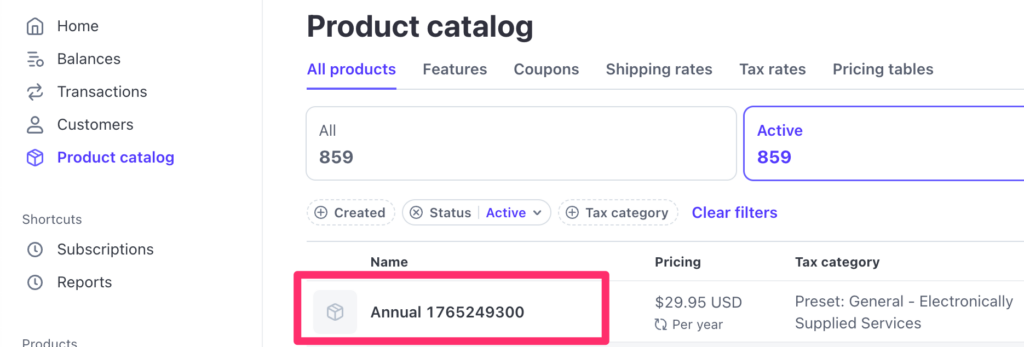
Find the customer in Stripe that needs to be updated. Add the new product to their subscription that we just copied above.

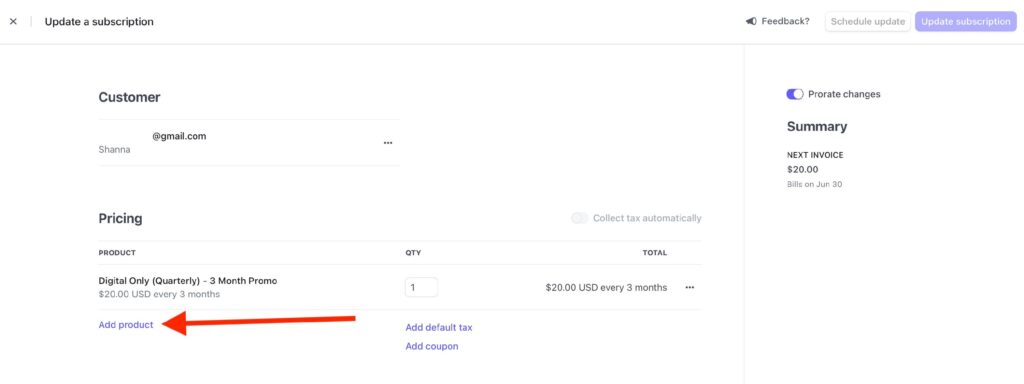
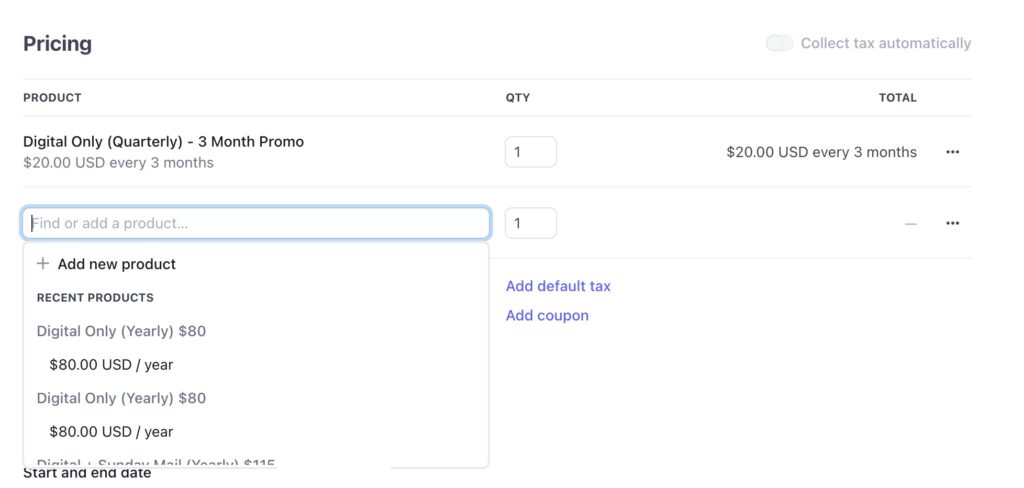
Then, remove the old product with outdated pricing.
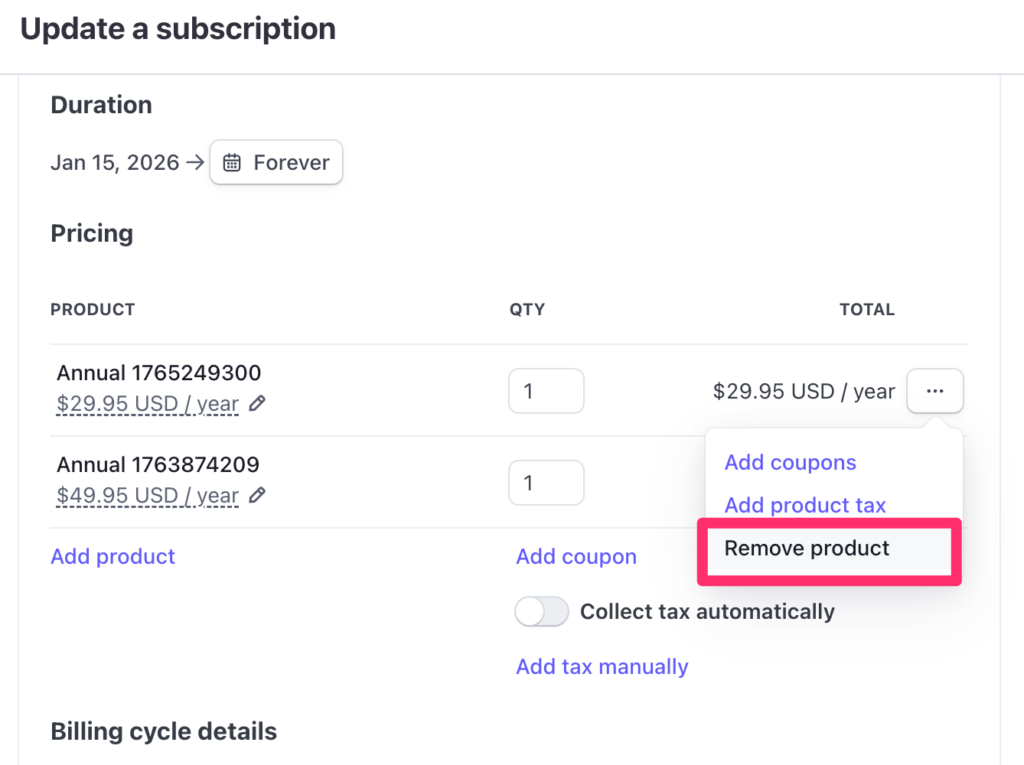
Turn off proration if you want the new price to start on the next billing cycle rather than triggering an immediate charge for the difference.
Finally, update the subscription level in your paywall plugin to match the new level so everything stays synchronized.
This process works but becomes tedious and error-prone once you have more than a handful of subscribers to migrate. Each manual update introduces opportunities for mistakes that can disrupt billing and frustrate subscribers.
Option 2: Automate Subscription Updates with SubSync
If you have dozens or hundreds of active subscribers, our SubSync plugin makes bulk Stripe subscription updates fast and reliable. The service handles the complexity so you can focus on your content.
You create new plans in Stripe covering your pricing tiers—annual, monthly, digital plus print, or whatever structure you need. We migrate each subscriber to the new plan with proration turned off so the price change happens on their existing renewal date, not immediately.
We cancel the old plan for each subscriber after confirming the new plan is active. For trialing users, we pause new trials if necessary and migrate them when they complete their trial period, avoiding any disruption to their experience.
The migration proceeds in stages. We start with a test batch to verify everything works correctly, then move subscribers in small groups until everyone is migrated. For publishers who want minimal disruption, we can set up a rolling migration so each subscription updates right before its individual renewal date.
This staged approach prevents billing errors and protects your recurring revenue. A single bulk operation across all subscribers at once risks cascading failures—batch processing contains any issues before they spread.
Bulk Update Pricing for $0.50 per Subscription
Save time and avoid mistakes by letting us handle the process for you. Our done-for-you service includes planning, batch testing, and execution. Whether you’re raising prices, restructuring tiers, or consolidating plans, SubSync gets your subscribers migrated cleanly.
Schedule your migration to get started.