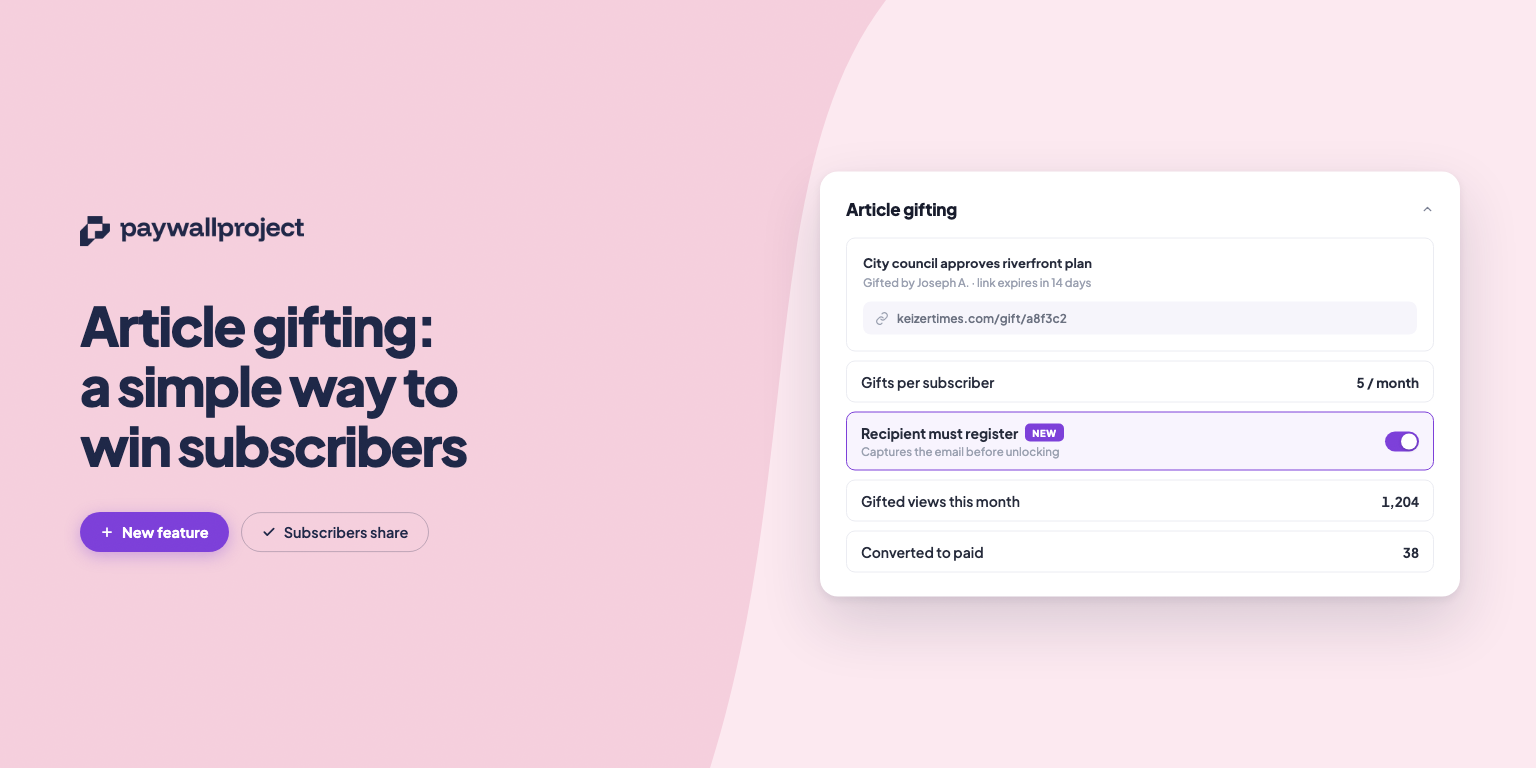
Your best subscribers are already your best marketers; they just need an easy way to share. That’s exactly what our new article gifting feature does.
Here’s how it works: subscribers on eligible levels can send any article to a friend or family member as a special access link, no subscription required on their end. It’s a simple way to get your best content in front of new readers, with a built-in incentive for them to subscribe once they’re hooked.
Setting It Up
Enabling gifting takes just a couple of minutes:

- Head to Levels and choose which subscription level should have gifting access.
- Check Enable gift articles and set a monthly gift quota — this controls how many articles each subscriber on that level can share per month.
- Hit Save level, and you’re done.
Want more control? Head to Subscribers, find an individual subscriber, and scroll to the bottom of their profile. From there, you can grant bonus gifts, reset their monthly usage early, and see the status of articles they’ve shared.
What It Looks Like for Subscribers
Once enabled, subscribers will see a Gift this article option while reading any post. They can add a friend’s email (optional) and generate a gift link. If an email was entered, the recipient gets it automatically; otherwise, the subscriber can share the link however they like.

For security, each gift link is valid for 72 hours and works once. After that, or if it’s passed around further, it won’t unlock access.
Why It Matters
Gifting turns your loyal readers into a new growth engine. Every shared article is a warm introduction to a new potential subscriber, at zero acquisition cost to you.