For most newspapers, dealing with public notices is a manual, offline process: an emailed PDF, a mailed check that has to clear before anything gets typeset, followed up by an affidavit among other requirements.
Getting that process online has always been the hard part. A generic form plugin can collect the text, but it can’t take a card payment inline, calculate pricing with add-ons, or hand an editor a properly dated post ready to review.
NoticePress gives you a third option. It’s a public notice software that lives inside your own WordPress site: a self-service submission form for customers who want to file and pay online, and a fast, no-fuss way to enter anything that still comes in by email. Both paths land in the same place, so your staff isn’t juggling two systems.
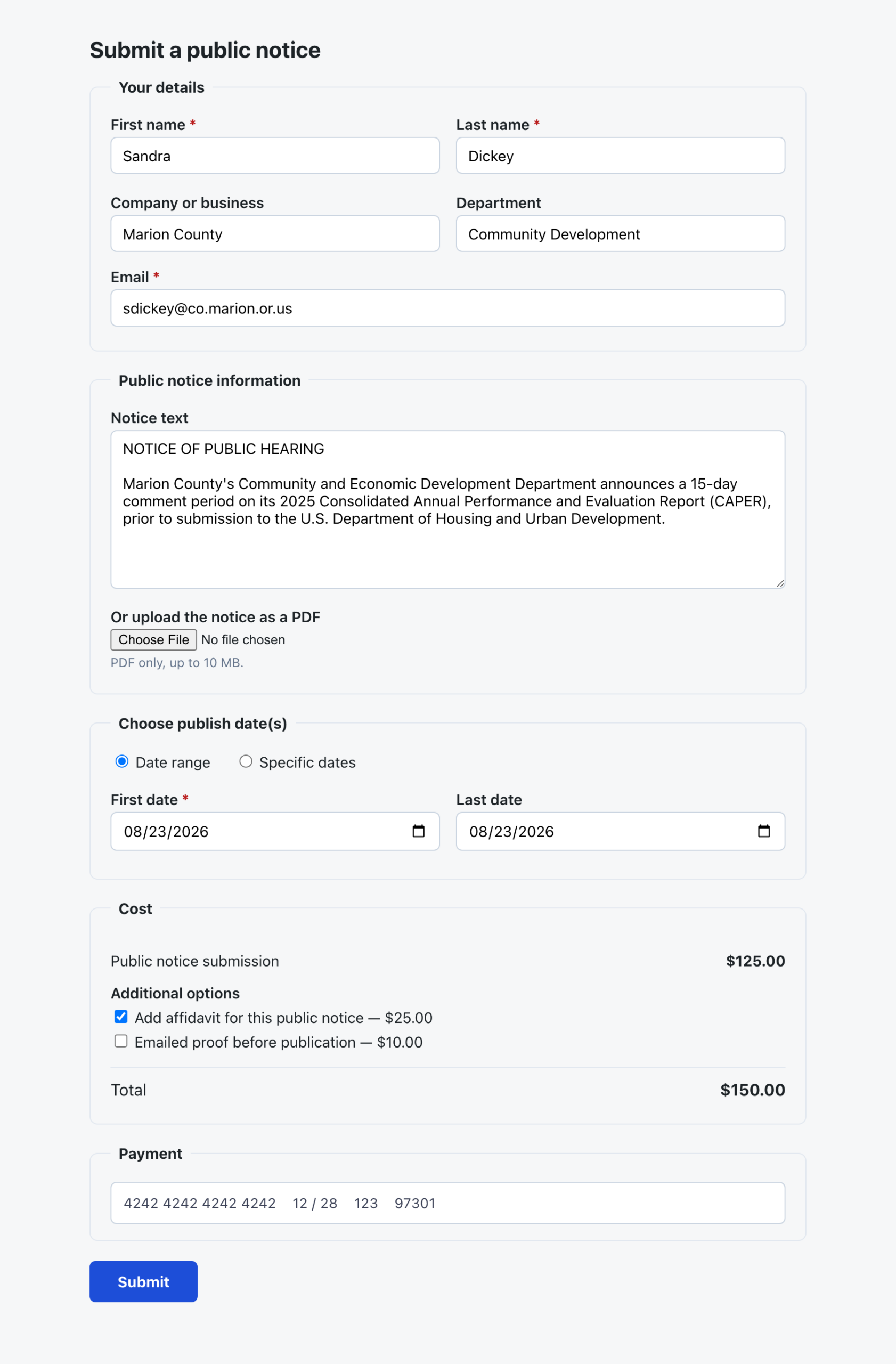
Drop [noticepress_form] on a page, and it handles the whole legal notice submission flow: submitter details, the notice text or a PDF upload, requested publication dates, your pricing and add-ons, and an inline Stripe card payment with no redirect to a separate checkout page.
An online legal notice submission form that does the job in one page
Submitters don’t need an account. They fill in their details, write or upload the notice, pick publication dates (a range or specific dates), and pay by card, all in the same form.
Notices are saved before the card is ever charged, and a Stripe webhook confirms payment independently. That order of operations matters: a submitter who closes the tab mid-payment still ends up with a notice in your review queue, instead of a charge with nothing to show for it.
Need a special formula for pricing based on your state’s requirements? Send us the details, and NoticePress can make it happen.
Three ways to publish a legal notice, pick any combination
When a submitter uploads a PDF, you decide how the public notice shows up on the page. You can combine:
- Extracted notice text, pulled from the PDF so the notice is searchable, indexable, and readable on a phone.
- The embedded PDF, so it still looks like the document as filed.
- A download button, so readers can keep their own copy.
By default, text extraction reads the PDF’s own text layer, which is free, offline, and accurate for most notices. For scans or documents that don’t extract cleanly, you can switch to a more advanced extraction option that handles those cases too. Either way, extracted text always lands in the post editor for review before anything goes live.

Still need to handle notices manually sent by email? That’s still fast
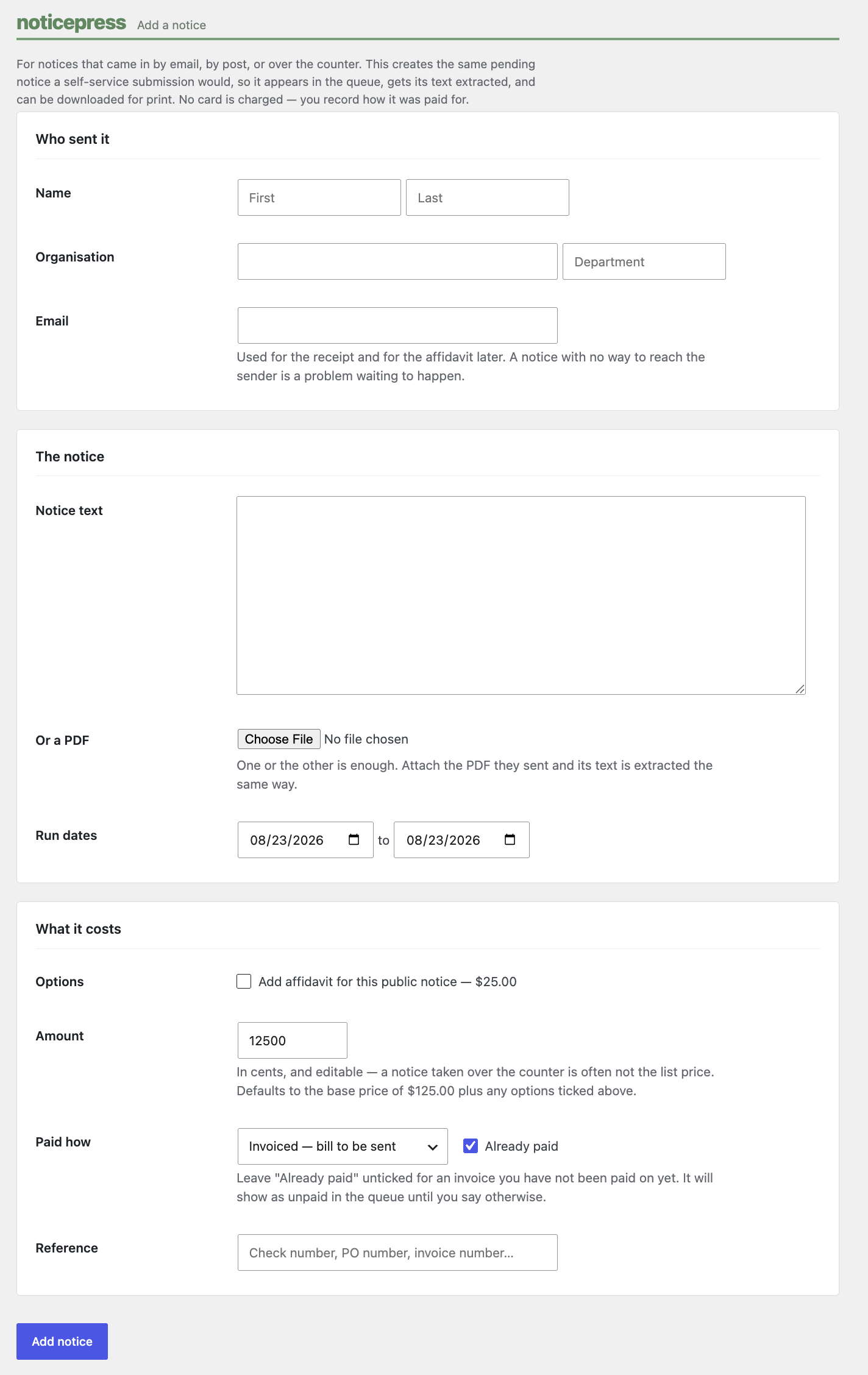
Not every notice will come through the online form, and that’s fine. NoticePress includes an “Add a Notice” screen right in the admin, where staff can fill out the same fields a customer would (submitter details, notice text, dates, add-ons) for anything that arrives by email. There is no second system to learn and no separate spreadsheet to keep in sync. The manually entered notice sits in the exact same queue as one filed online, just without a payment record attached, so your editor still reviews everything from one place.
Nothing publishes itself
Notices arrive as pending posts, already dated for the first day the submitter requested, so the right date is sitting in the Publish box waiting for you. Hitting Publish schedules a future date or back-dates a past one. The decision to actually put a notice live is always a person’s, not the plugin’s.
All of your submissions (payment status, requested dates, and where each one stands) live in one place under NoticePress in the admin menu, with a count of notices waiting on review right on the menu item. It’s a legal notice management dashboard built for newsroom workflows, not a generic form inbox.
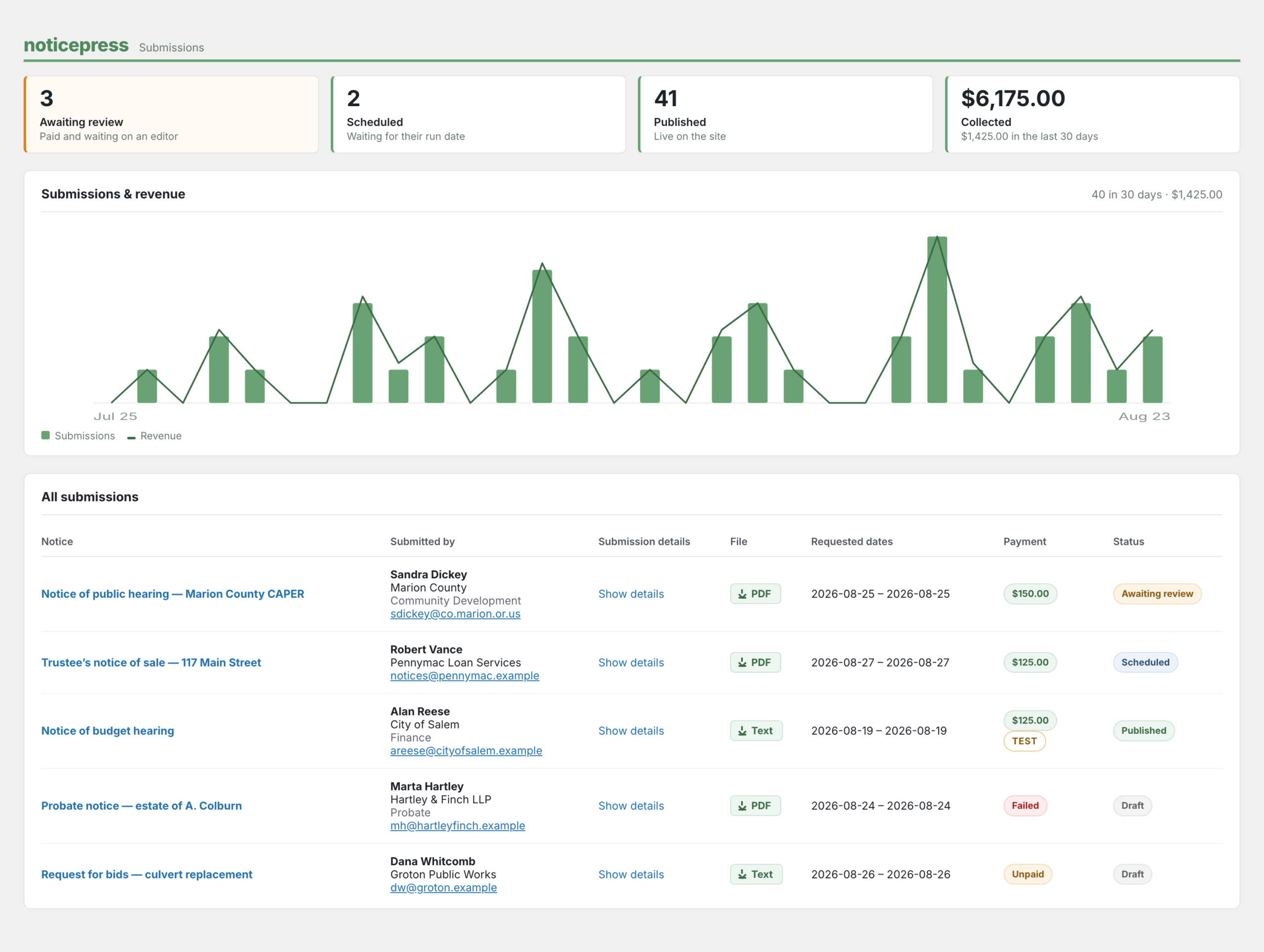
Need a copy for the print edition? Every submission has a “Download for print” action, both in the submissions list and on the post editor screen. A notice filed as a PDF comes back as that PDF; one that was typed in, or only exists as extracted text, comes back as a plain text file. Nobody has to retype a legal notice off a screen.
Set your price once, protect the form always
Settings is where you set a flat base price plus any paid add-ons you want to offer (an affidavit of publication, for instance), connect your Stripe keys, and choose which category submissions land in.
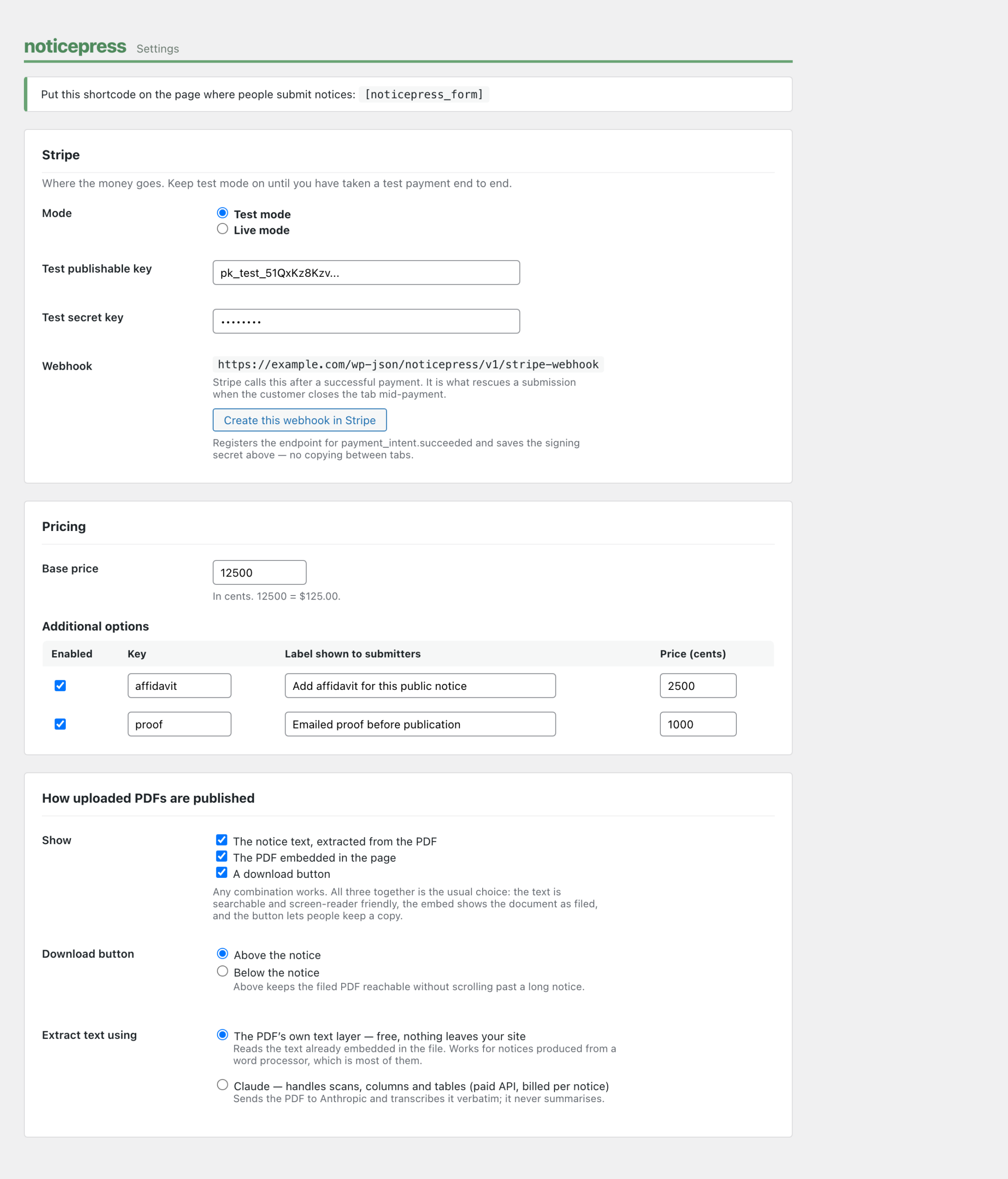
A honeypot field and per-IP and per-email rate limiting are on by default for every install, no configuration needed. If you want more, adding reCAPTCHA v3 keys turns on invisible spam protection scoring. It runs silently in the background, so legitimate submitters never see a puzzle to solve.
Getting started with NoticePress
- Install and activate NoticePress.
- Go to NoticePress, Settings and add your Stripe keys.
- Choose the category submissions should land in.
- Add
[noticepress_form]to your submission page. - In Stripe, add a webhook for
payment_intent.succeededpointing at the URL shown on the settings screen, and paste the signing secret back in.
That’s it. No separate form builder, no glue code connecting a payment plugin to your post types, and no second system for the notices that still show up by email or over the counter. Just a self-service public notice submission form for customers who want it, a quick manual entry option for everything else, and a pending post waiting on your editor either way.
NoticePress
$79/month
Unlimited notices. No per-notice fee. Cancel anytime.
- ✓ Self-service online submission form, built for your site
- ✓ Inline card payment through Stripe, no redirect at checkout
- ✓ Manual entry for notices that still come in by email
- ✓ Flat pricing plus your own paid add-ons (affidavits, etc.)
- ✓ Searchable notice text, embedded PDF, and print-ready download
- ✓ Built-in spam protection, no CAPTCHA for real submitters
Card required. 14-day money-back guarantee.