Most nonprofit newsrooms choose to keep their reporting free for everyone. It’s part of the mission: the story should reach every reader, whether or not they can give. So supporting the newsroom is optional.
That’s the right call, but it leaves a gap. A “Donate” button in the header or footer barely gets noticed. Readers like your work, and nobody ever actually asks them to support it.
The Guardian showed there’s a better way: keep the journalism open, and ask every regular reader for support right after they’ve got value from it. Readers who can give, give. Everyone else clicks “not now” and keeps reading.
PaywallProject 4.3 brings that model to your WordPress site, with one checkbox.
Why it works
- Nobody is locked out. Every signed-in reader can read every story, and giving stays optional. Your mission, and your promise to funders, stay intact.
- Every regular reader gets asked. Not just the few who find your donate page. Your most loyal readers are your most likely supporters, and now they all see the ask.
- The ask lands at the right moment. It appears when a reader has used their free stories for the month and knows exactly what your newsroom is worth to them.
- Lapsed supporters never lose access. If a monthly gift is canceled, expires or a card fails, the reader can still read. They just keep getting asked to renew until they do.
- You build a list of readers you can ask again. Visitors still register with an email address before they read on, so you can thank them, update them and ask again at year-end.
How it works
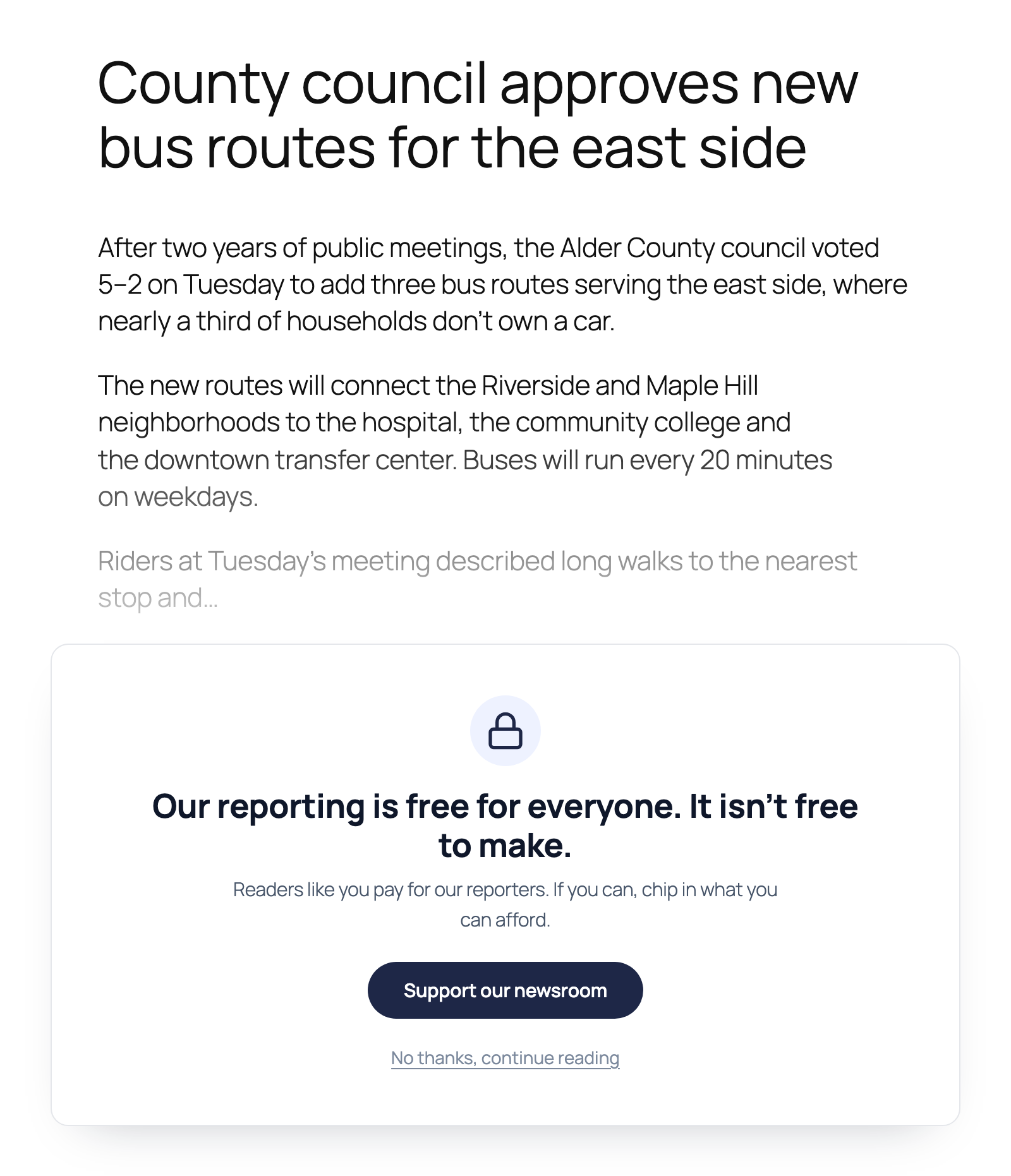
Anonymous visitors get a free story or two, then a free registration wall. Registered readers get a few stories a month. After that, they see your support ask with a “No thanks, continue reading” link. One click opens the story.
By default the reader is then left alone for a day. You can make that longer, or ask on every story.
Set it up in three steps
- Create a free “Reader” level. In PaywallProject → Levels, set Limit to three to five stories a month. In PaywallProject → Paywall, turn on the registration wall and assign this level on sign-up.
- Turn on “Never lock readers out.” On the level, tick Let readers on this level always keep reading. Set the link text and how long to wait before asking again. Turn it on for your paid supporter levels too, so lapsed supporters keep reading.
- Write an ask that sounds like you. In PaywallProject → Paywall → Upgrade box, replace the default heading with something like “Our reporting is free for everyone. It isn’t free to make.” Point the button at a Pay what you want supporter level.
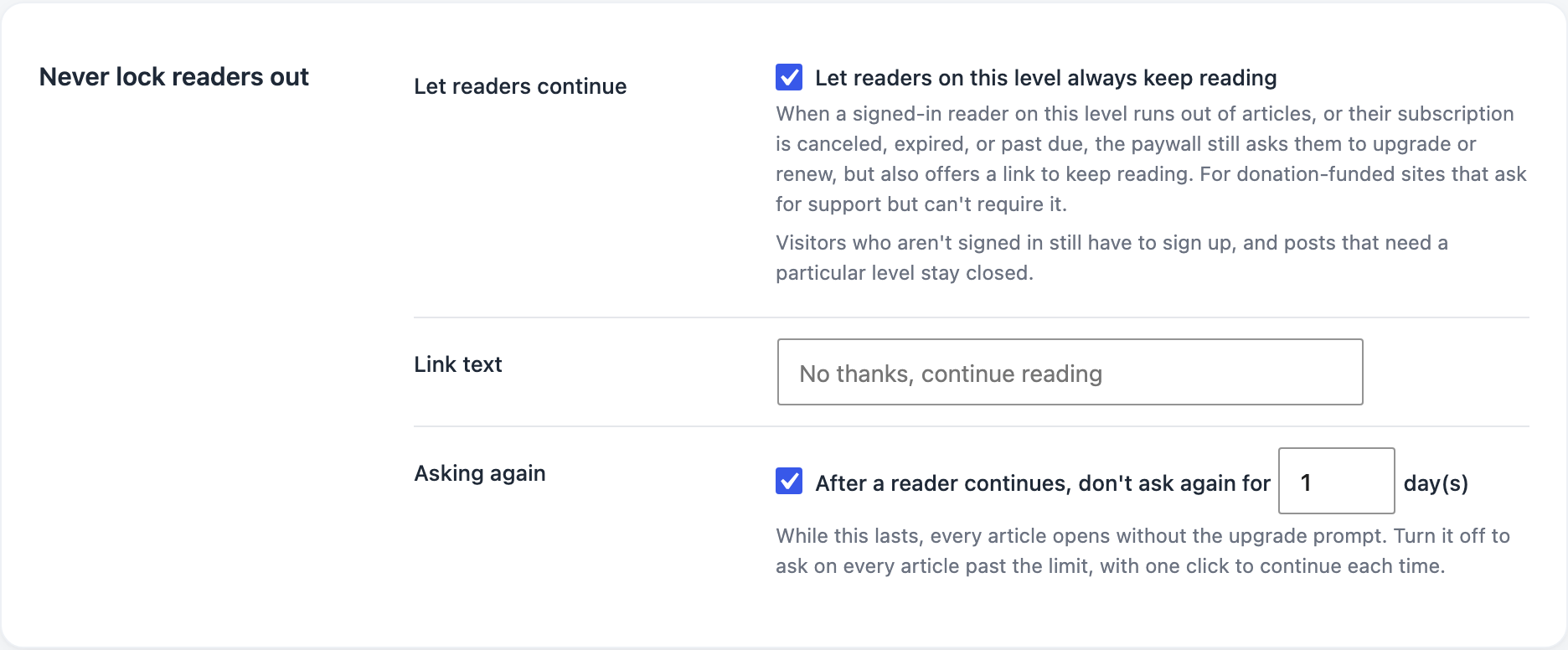
Visitors who aren’t signed in still have to register. Posts you’ve set to need a particular level, such as a supporters-only newsletter archive, stay members-only.
Frequently asked questions
Why would a nonprofit newsroom use a paywall?
Not to charge for stories. Most nonprofit newsrooms keep their reporting free on purpose and make support optional. Here the paywall doesn’t block anyone. With this setting on, every registered reader can read every story. Its only job is to make sure every regular reader is asked.
Won’t readers just click “No thanks”?
Many will, and they keep reading, which is the point. The ones who give are readers who’d never have found your donate button. Some who say no today will say yes next month.
What happens when a supporter’s gift lapses?
They keep reading. Whether their subscription was canceled, expired or a payment failed, they still see your renewal ask, with a link to continue reading.
Get started
It’s in PaywallProject 4.3 and off until you turn it on. Update the plugin, open a level and tick the box. New to PaywallProject? Get started here, or see how our metered paywall works.